Available on the Mac App Store
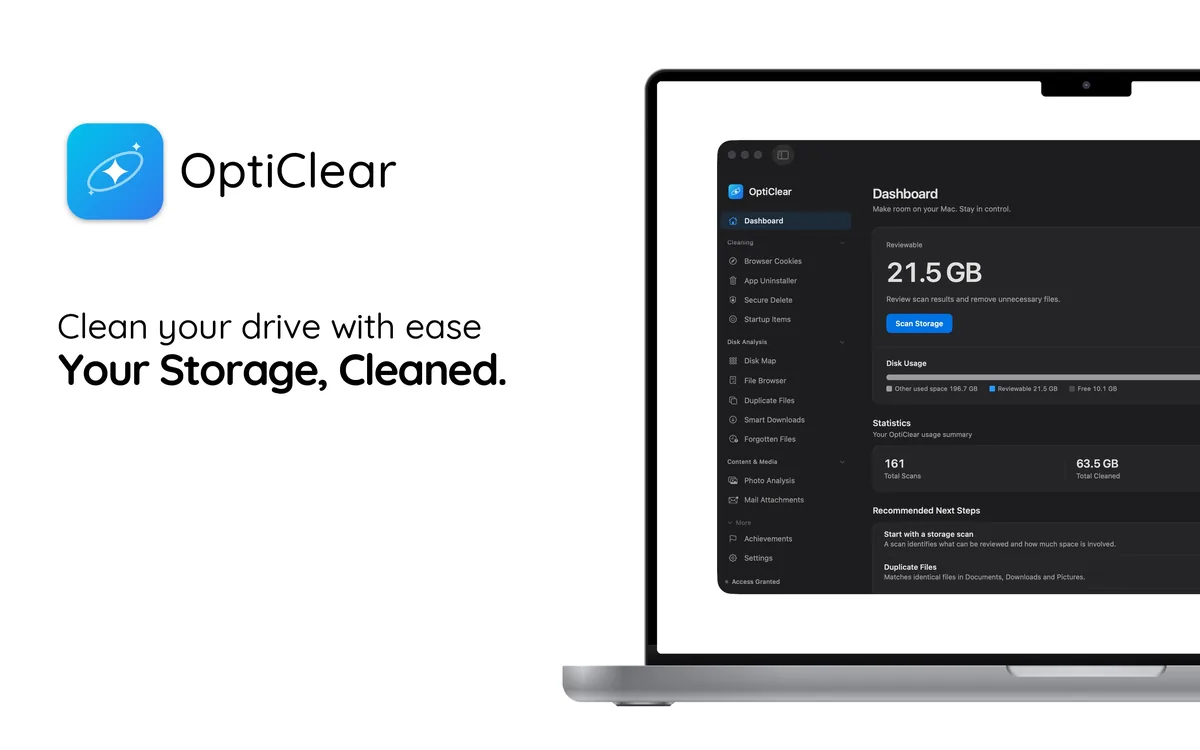
Your Storage, Cleaned.
OptiClear scans, analyzes, and cleans your Mac with precision.
Reclaim gigabytes, audit privacy, stay in control.
macOS 14 or later · Free to scan, Pro to clean
Powerful features, zero complexity.
Every tool you need to keep your Mac running like new.
System Analysis
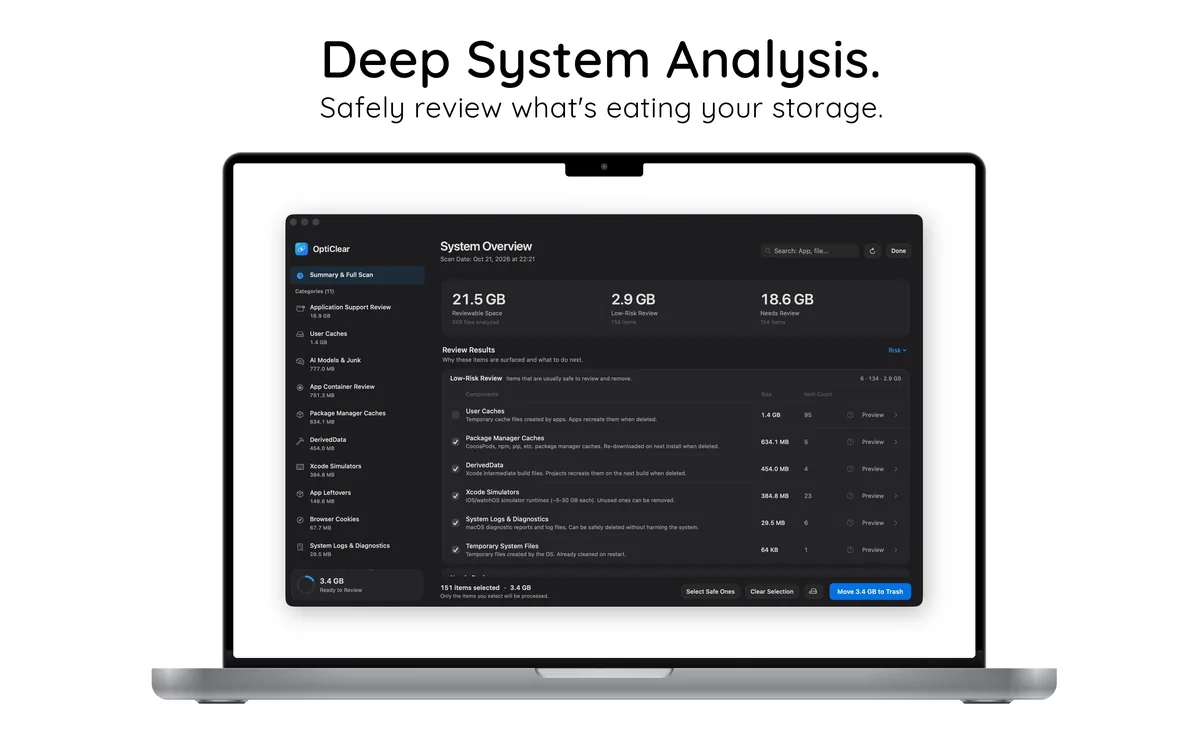
Deep System Analysis.
Safely review what’s eating your storage. OptiClear categorizes files, separates low-risk from items that need review, and gives smart recommendations.
- Files grouped into clear categories
- Low-risk items kept apart from items to review
- Smart recommendations that explain why
Privacy
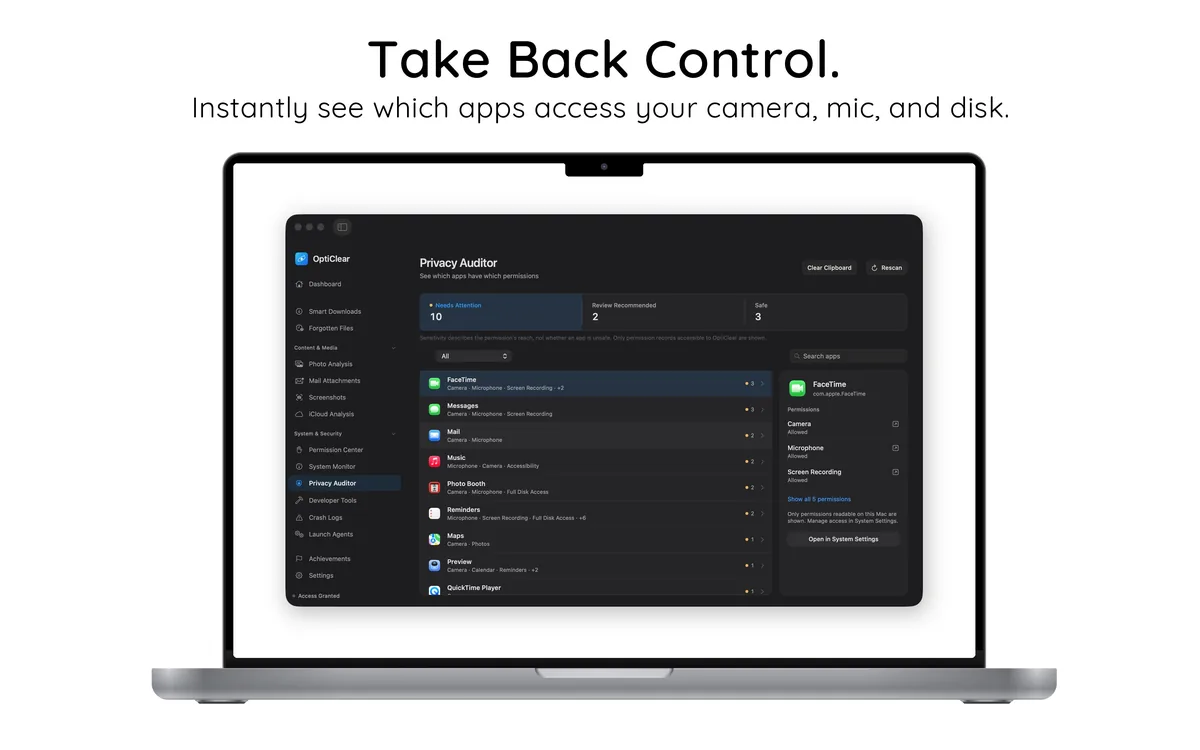
Take Back Control.
Instantly see which apps access your camera, mic, and disk. Surface hidden permissions and risk levels so you’re always in charge.
- 13 permission types audited at a glance
- Risk-level badges: High, Medium, Low
- Screen Recording, Accessibility, Full Disk
Developer
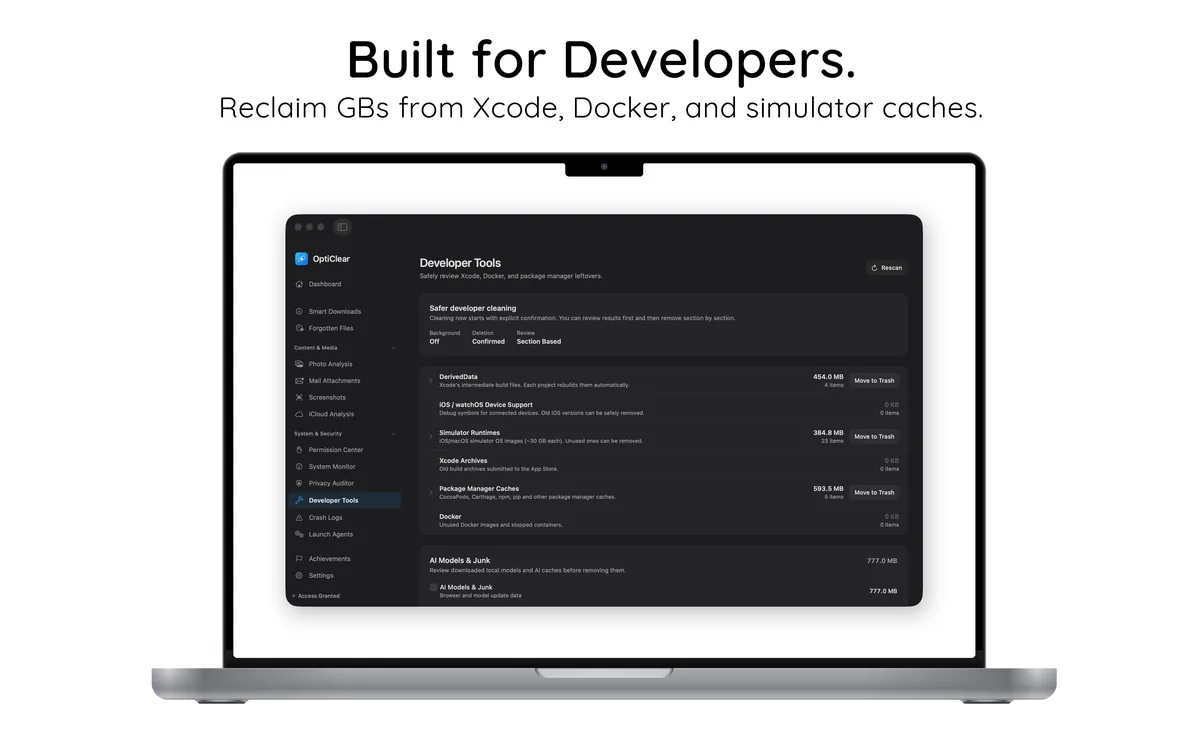
Built for Developers.
Reclaim GBs from Xcode, Docker, and simulator caches. Review DerivedData, runtimes, and package caches in one clean interface.
- DerivedData, Simulators, Xcode Archives
- CocoaPods, npm and pip caches
- Safer cleaning with explicit confirmation
Photos
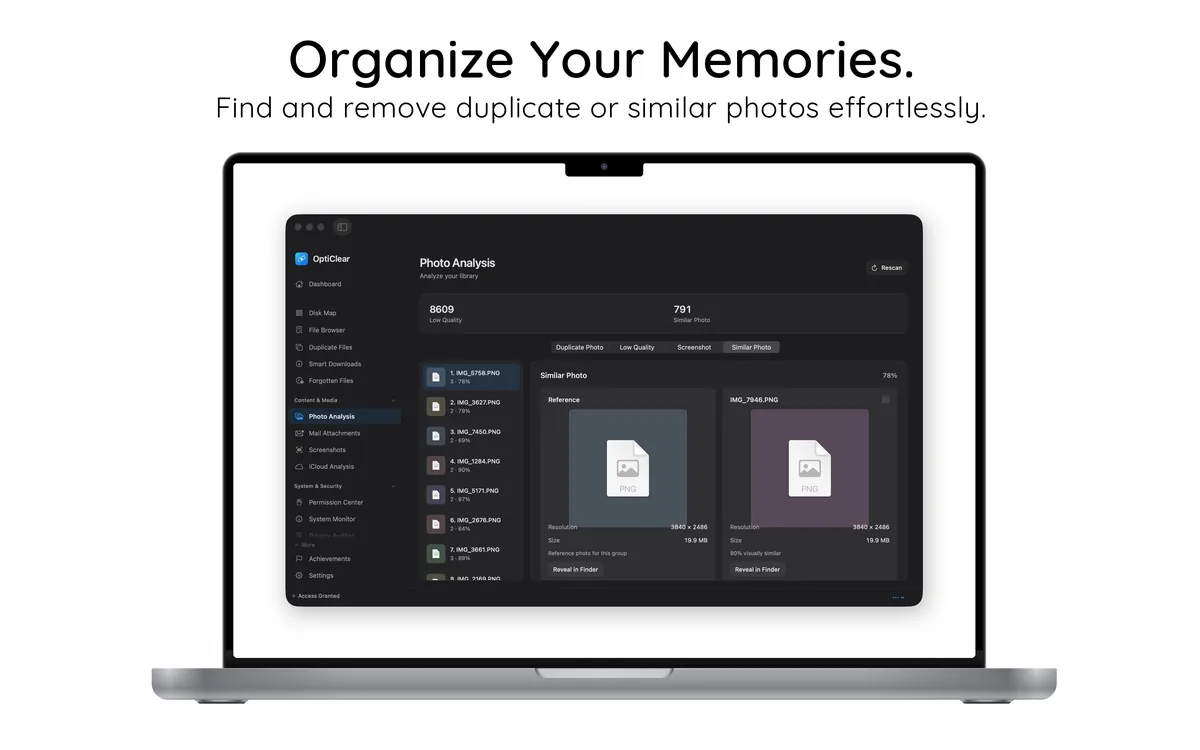
Organize Your Memories.
Find and remove duplicate or similar photos effortlessly. Spot low-quality images, screenshots, and near-identical shots.
- Duplicate, low-quality, screenshot detection
- Similar photo grouping with preview
- Bulk select & clean with one click
Also in OptiClear
- Browser Cookies
- App Uninstaller
- Secure Delete
- Disk Map
- Duplicate Files
- Smart Downloads
- Photo Analysis
- Mail Attachments
- iCloud Analysis
- Privacy Auditor
- Developer Tools
- Crash Logs
- Launch Agents
- System Monitor
Start in under a minute.
No configuration needed. Install, scan, reclaim.
Install
Download OptiClear free from the Mac App Store.
Scan
Run a full system scan — storage, caches, duplicates, privacy.
Clean
Review the recommendations and clean what you choose with Pro.
Simple, honest pricing.
Scanning and reviewing are free. Cleaning requires Pro.
Free
Scan your Mac and see what takes up space
- Dashboard & Overview
- Scan results in every tool
- System Monitor
- Disk Map & File Browser
Pro
or $39.99/year — save 33%
- Everything in Free
- System Cleaning and App Removal
- Duplicate, Photo and Large File Cleanup
- Developer Tools and Homebrew Cleaning
- Browser Cleaning and Secure Delete
- Startup Items and Launch Agents
Good to know
- Scanning is free: see what would be cleaned before you decide on Pro.
- Cleaned files go to the Trash first by default, so you can restore them until you empty it.
- No account needed. Purchases go through your Apple Account.
- Pro is billed through the App Store. Manage or cancel anytime in your App Store account settings.
- Runs on macOS 14 Sonoma or later.
Frequently asked questions
Is OptiClear free?
Downloading OptiClear, scanning your Mac and reviewing the results are free. Cleaning and deleting files require OptiClear Pro.
Where do removed files go?
By default, OptiClear moves the files you clean to the Trash, so you can restore them until you empty it. Secure Delete is the exception: it removes files permanently. You can change the default in Settings.
Which Macs are supported?
OptiClear runs on macOS 14 Sonoma or later.
Do I need an account?
No. Download OptiClear from the Mac App Store and start scanning. Purchases go through your Apple Account.
How do I cancel Pro?
Pro is billed through the App Store. You can manage or cancel your subscription at any time in your App Store account settings.
Ready to reclaim your Mac?
Download OptiClear free and see what takes up space on your Mac.
Download on the Mac App Store